


Losing data from Mac or any other storage device is a reality everyone has to live with. However, with the increasing technological advances, recovering data has become one of the most effortless endeavors, especially with the help of data recovery software.

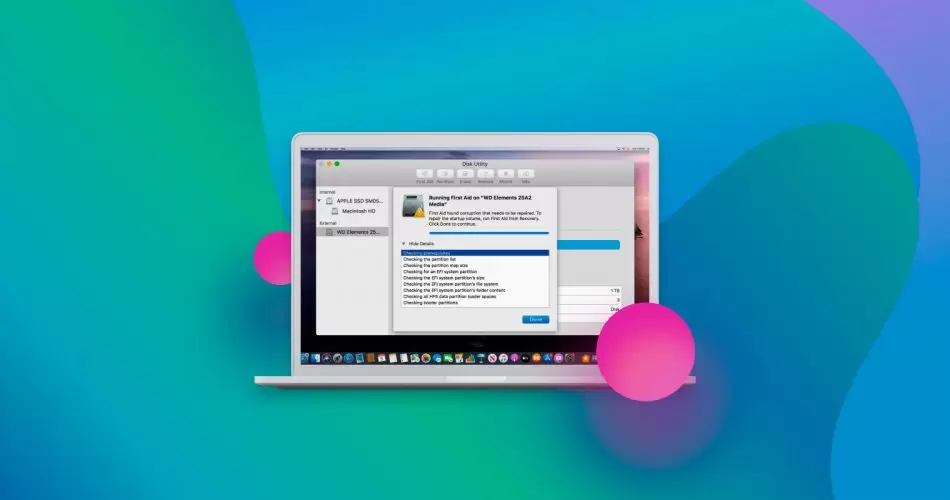
But what is the best data recovery software for Mac? This article discusses some of the top-rated data recovery software you can use to get back lost data on your Mac computer.
1. Disk Drill Data Recovery for Mac
Disk Drill developed by Cleverfiles is one of the best data recovery software that also tops the list when it comes to the recovery of data from Mac and other storage devices.
The software comes with several features that support comprehensive data recovery. You can recover files and folders on just any type of storage device, including iOS and Android devices. It is reliable Mac data recovery software that is constantly updated and covers data loss resulting from accidental deletion, device damage, and power loss, among many other causes.
Free Features
- Guaranteed recovery
- Data backup available
- Disk health monitor
- Emergency recovery boot drive
- Time Machine Recovery
- Mac cleaner
- Duplicate finder
Pros
- Proactive data protection
- Intuitive user interface
- High-speed recovery
- Free version to preview and recover file
- A large number of RAW file formats supported
- Runs on M1 devices
Cons
- No telephone customer support
- Limited support for RAID arrays
2. R-Studio for Mac
This is the other top data recovery software for Mac with the ability to recover deleted file systems. It uses advanced scanning algorithms to recover deleted files and restore formatted partitions together with whole drives. Besides, it helps create an image file of a disk with bad sectors to make it easier to recover files.
Pros
- Supports Linux partitions
- Free version available
- Displays recoverable data graphically
- Probability of file recovery estimates provided
Cons
- A high level of computer knowledge required
- The user interface is complex
- The commercial version is expensive
- The free version cannot recover files that are larger than 256 KB
3. PhotoRec for Mac
PhotoRec makes it to this list because of the advantage of being open source. This makes it readily available to users who want to access either the application, source code, or both. Besides, it works well with Linux, OS X, Net BSD, Free BSD, Open BSD, and Windows.
Some of the files you can recover with PhotoRec include JPEG pictures, PDF documents, MP3 audio files, Microsoft Office Files, and ZIP archives, among other file types. When it comes to recovering deleted files on Mac, it works as per the developer’s specifications. Also, you can retrieve the files from various devices, including USB flash drives and digital cameras.
Free Features
It uses a powerful technology known as carving. The method involves two steps, including the search for a data block or cluster sizes in the first step. This second step consists in reading the device block by block or cluster by cluster.
Pros
- It runs under many different operating systems
- Many file types recognized
- Freeware
Cons
- No customer support
- Command-line interface
- No updates
4. EaseUs Data Recovery Wizard for Mac
EaseUs is a powerful data recovery software. It supports macOS 10.9 to 10.15.
Free Features
- The free version is limited to 2 Gb maximum
- Recovers data from Mac notebooks, hard drives, SD cards, digital cameras, etc.
- Built for recovery of data lost due to unintentional deletion and drive formatting
Pros
- Step-by-step recovery process
- Live chat support is available
- Sorting recoverable files is easy
- Fast scanning process
Cons
- The paid version is expensive
- May display unrecoverable files
5. Stellar Mac Data Recovery Professional
This data recovery tool helps you recover deleted files and folders on your Mac. It supports many file types, including videos and photos deleted by mistake or data lost due to a mistakenly formatted hard drive.
Pros
- Recovers deleted files from encrypted drives
- Time Machine backup recovery
- Create clone drives for data recovery
Cons
- It supports fewer file formats
- Repairing volumes require a premium version
6. Data Rescue for Mac
This is yet another specialized tool for data recovery that will help you recover data from various loss cases. It supports macOS 10.12 or later and requires a constant internet connection for proper function.
Whether you lost your files from accidental deletion, malware, or formatting, this software will get back your data.
Pros
- Online chat support
- Free file preview before purchase
- Email alerts
- Duplicate file recognition helps save recovery space
Cons
- Expensive
- It does not support macOS X 10.15
- you can’t find lost partitions
- Challenging to locate found files
7. DM Disk Editor and Data Recovery
This tool helps with disk management as well as data recovery on Mac. Key free features include scanning and recovery of up to 4000 file types.
Pros
- Recover up to 4000 files
- Multiple free features included
Cons
- Outdated user interface
- Limited customer support options
8. Wondershare Data Recovery for Mac
Designed for data recovery for Mac, it recovers lost data and supports many file formats, including videos and documents. It works on macOS 10.9 to 10.15 (macOS Catalina).
Pros
- Free trial
- Simple UI
- Great recovery speed
Cons
- Requires annual subscription