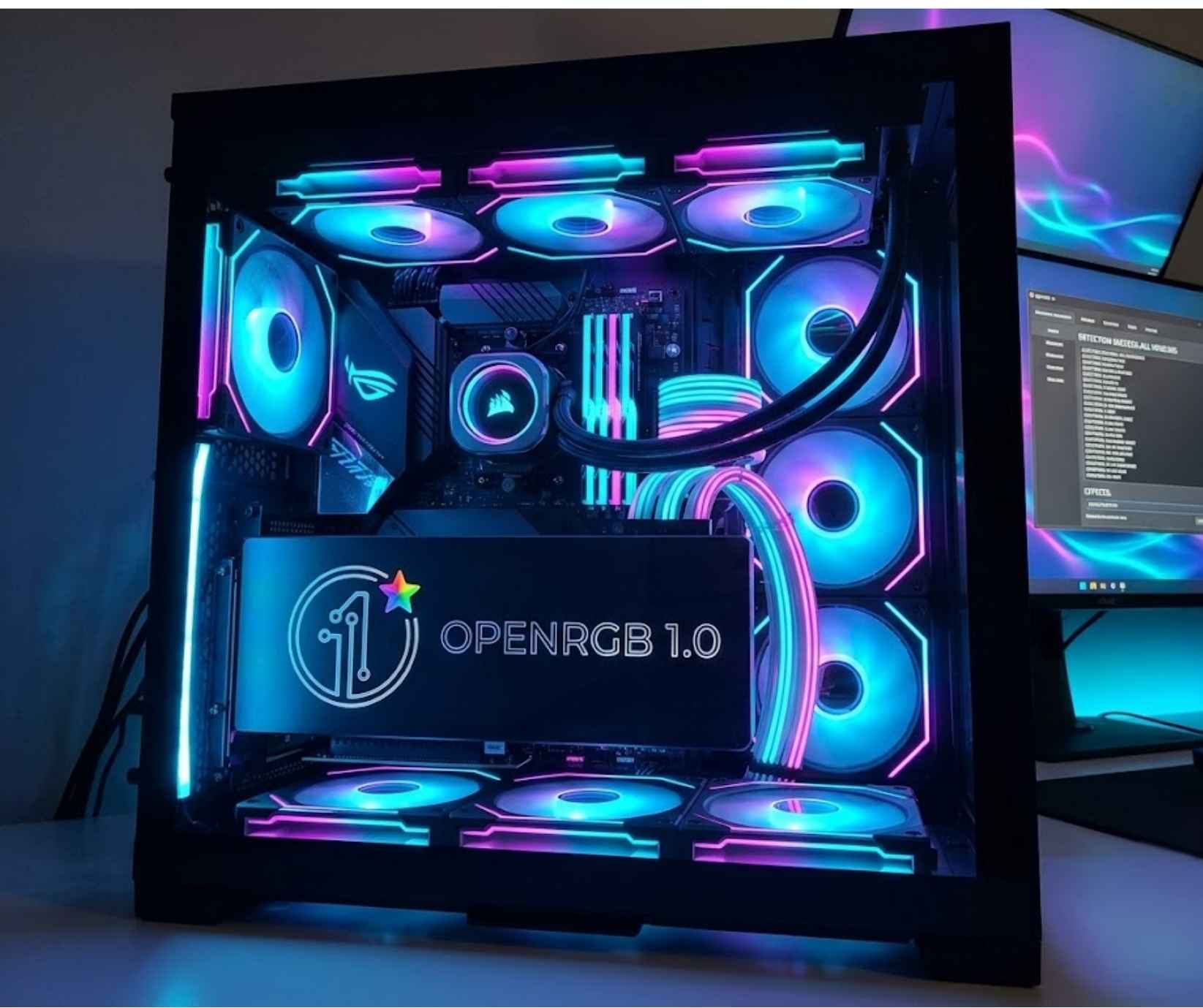
PC RGB lighting has a software problem.
Adding colorful lighting to a gaming PC is easier than ever, but controlling it can quickly become messy. A motherboard may use one application, RAM another, while a keyboard, mouse and RGB controller can each bring their own software into the mix.
OpenRGB 1.0 is taking a different approach.
After nearly three years of development since OpenRGB 0.9, the open-source RGB lighting project has reached its 1.0 release. The milestone brings improvements to profiles, background operation, hardware support and plugins while continuing OpenRGB’s cross-platform approach across Windows, Linux and macOS.
For PC enthusiasts, the interesting question isn’t whether OpenRGB has another lighting effect. It’s whether version 1.0 can make mixed-brand RGB setups significantly easier to manage.
OpenRGB 1.0 Arrives After a Long Development Cycle
OpenRGB 0.9 was released in 2023. The arrival of version 1.0 therefore represents a substantial development cycle rather than a routine version bump.
That matters because OpenRGB has always had a larger ambition than simply becoming another RGB effects application.
The project is built around the idea that users shouldn’t necessarily need a separate piece of software for every RGB-enabled component inside their computer.
That becomes increasingly relevant as modern gaming PCs combine hardware from multiple manufacturers.
A single setup might contain RGB memory, a motherboard with integrated lighting, an illuminated graphics card, a gaming keyboard and several external RGB accessories. The more brands involved, the more complicated the software layer can become.
OpenRGB’s proposition is straightforward: bring compatible RGB devices into one control environment.
What Is OpenRGB?
OpenRGB is an open-source RGB lighting control application designed to control supported RGB hardware from different manufacturers.
Rather than focusing on one company’s hardware ecosystem, the project attempts to provide a common interface for compatible devices.
Its supported hardware categories include products such as:
- Motherboards
- RAM
- Graphics cards
- Keyboards
- Mice
- RGB controllers
- Other RGB-enabled peripherals and components
Actual compatibility varies by device, so users should check OpenRGB’s current hardware support before assuming a particular product will work.
The software’s cross-platform availability is another important part of its identity. OpenRGB supports Windows, Linux and macOS, giving it relevance beyond the typical Windows-first RGB software ecosystem.
What’s New in OpenRGB 1.0?
The 1.0 release focuses on making OpenRGB more capable as a complete RGB management platform.
A Redesigned Profile System
RGB profiles are useful because most users don’t want to configure their lighting from scratch every time they switch activities.
A gaming profile could use one configuration, while a quieter setup might be preferable for work or general desktop use.
OpenRGB 1.0 introduces changes to its profile system, giving users a more structured way to manage their lighting configurations.
For people with complicated RGB setups, this is arguably more useful than simply adding another collection of visual effects.
Better Background Operation
One of the less flashy but more practical improvements is support for running OpenRGB in the background as a service.
This addresses an everyday annoyance with RGB management software.
Users generally don’t want an RGB application occupying their desktop simply because they want their preferred lighting configuration to remain active.
Background operation allows OpenRGB to behave more like a system-level utility rather than an application that users constantly have to open and interact with.
More Hardware Support
Hardware compatibility is the foundation of OpenRGB’s appeal.
The project has continued expanding support across different types of RGB hardware, helping users bring more of their devices under a single application.
However, this is an area where users should be realistic.
RGB compatibility is not simply determined by whether a product has LEDs. Manufacturers can implement proprietary controllers and communication methods, meaning individual devices can behave differently.
OpenRGB 1.0’s expanding hardware support is therefore important, but checking the project’s compatibility information remains essential before switching away from manufacturer software.
Windows, Linux and macOS Support
OpenRGB’s multi-platform strategy makes it particularly interesting outside the traditional Windows gaming environment.
Windows remains the dominant operating system for gaming PCs, but Linux has become increasingly relevant to PC enthusiasts and gamers.
For Linux users, RGB management can be particularly frustrating when manufacturers don’t provide equivalent official software.
OpenRGB provides a common alternative for supported hardware.
The same cross-platform philosophy extends to macOS, giving users a consistent approach to RGB management across the three operating systems.
Plugins Make OpenRGB More Than an RGB Controller
OpenRGB also has a plugin ecosystem that expands what the software can do.
The additional functionality goes beyond simply selecting a static color or cycling through standard lighting patterns.
Depending on the plugin and supported hardware, users can create more advanced effects, including lighting that reacts to audio or responds to information from the computer.
That creates an interesting shift in how RGB can be used.
Instead of treating RGB lighting purely as decoration, users can connect it to system activity, games, media and other events.
For PC enthusiasts who enjoy customizing every part of their setup, that flexibility is one of OpenRGB’s more compelling features.
Why Cross-Brand RGB Control Is the Real Story
The biggest reason OpenRGB 1.0 matters isn’t the RGB itself.
It’s interoperability.
PC hardware has become increasingly modular. Users are free to combine products from different manufacturers, but the software controlling those products often hasn’t evolved in the same direction.
Hardware can be modular.
RGB software often isn’t.
This creates a strange situation where consumers can build a PC from whichever components they prefer, only to end up installing several manufacturer-specific applications to control the lighting.
OpenRGB attempts to provide a common layer between those devices and the user.
That doesn’t mean it will replace every manufacturer’s software. Proprietary applications can still provide features and integrations that third-party software cannot reproduce.
But for someone whose priority is simply controlling compatible RGB hardware from multiple brands, the appeal is obvious.
OpenRGB vs Manufacturer RGB Software
There isn’t a universal winner here.
Manufacturer software can make sense when a user owns several products from the same ecosystem and wants access to every proprietary feature available.
OpenRGB becomes more compelling when the priority is simplicity and cross-brand control.
| Feature | OpenRGB | Manufacturer Software |
|---|---|---|
| Cross-brand control | Key focus | Usually ecosystem-focused |
| Open-source approach | Yes | Generally proprietary |
| Windows support | Yes | Usually yes |
| Linux support | Yes | Varies |
| macOS support | Yes | Varies |
| Proprietary hardware features | Varies | Usually strongest |
| Single RGB control interface | Key objective | Depends on manufacturer |
The best option ultimately depends on the hardware inside the PC.
For a mixed-brand setup, OpenRGB has a particularly strong value proposition.
Who Should Consider OpenRGB 1.0?
OpenRGB 1.0 makes the most sense for users who want to simplify their RGB setup.
That includes:
- PC enthusiasts with mixed-brand hardware
- Gaming PC builders
- Users running Linux
- People who dislike multiple RGB utilities
- Users who want customizable lighting profiles
- Open-source software enthusiasts
- Anyone trying to reduce unnecessary background applications
It may not be necessary for someone whose entire setup already works comfortably through a single manufacturer’s software ecosystem.
Is OpenRGB 1.0 a Replacement for Every RGB Application?
No — and that’s an important distinction.
OpenRGB’s growing hardware support doesn’t mean every RGB device will suddenly work with it or that every proprietary feature will be available.
Some users may be able to replace several RGB applications with OpenRGB. Others may still need official manufacturer software for certain components.
The more accurate way to view OpenRGB is as a unified alternative for supported hardware, rather than a universal replacement for every RGB management platform.
The Bigger Picture for PC Software
OpenRGB’s 1.0 release highlights a broader issue in the PC hardware industry.
Consumers increasingly expect different products to work together. USB standards, wireless peripherals and modular PC components have all contributed to that expectation.
RGB lighting has been slower to follow.
Every manufacturer can build its own lighting ecosystem, but that approach puts the burden on the user.
OpenRGB represents the community-driven alternative: instead of asking users to choose one hardware ecosystem, create a software layer capable of working across multiple ecosystems.
RGB software is becoming part of a broader shift toward applications that sit between users and increasingly complex technology. Welp Magazine’s Meta Muse review looks at a similar evolution in AI, where software is moving beyond simple interfaces and taking a more active role.
Version 1.0 doesn’t solve every compatibility problem.
But after nearly three years of development, it demonstrates that there is still demand for an independent RGB control platform that puts interoperability ahead of brand loyalty.
OpenRGB 1.0: Frequently Asked Questions
What is OpenRGB 1.0?
OpenRGB 1.0 is the 1.0 release of the open-source RGB lighting control project. It is designed to manage compatible RGB hardware from different manufacturers through one application.
When was OpenRGB 1.0 released?
OpenRGB 1.0 was released on September 11, 2026, following the previous major 0.9 release in 2023.
Does OpenRGB 1.0 support Windows?
Yes. OpenRGB provides Windows support.
Does OpenRGB work on Linux?
Yes. Linux is one of the platforms supported by OpenRGB.
Does OpenRGB work on macOS?
Yes. OpenRGB also supports macOS.
Can OpenRGB control RGB hardware from different brands?
Yes, provided the individual hardware is supported. Cross-brand RGB control is one of the project’s primary purposes.
Is OpenRGB open source?
Yes. OpenRGB is an open-source project.
Is OpenRGB better than manufacturer RGB software?
It depends on the user’s setup. OpenRGB is particularly useful for mixed-brand hardware, while manufacturer software can offer deeper support for proprietary features.
What is new in OpenRGB 1.0?
The release includes improvements to the profile system, background service operation, hardware support and the plugin ecosystem.
Should you install OpenRGB 1.0?
If your PC uses RGB hardware from several manufacturers and you’re tired of managing multiple RGB applications, OpenRGB 1.0 is worth considering. Check hardware compatibility first, particularly if you depend on manufacturer-specific features.
The Welp Magazine Take
OpenRGB 1.0 is interesting because it tackles an unglamorous but very real PC problem.
RGB hardware is everywhere, but RGB software remains fragmented.
After nearly three years of development, OpenRGB has reached the point where its bigger proposition is clearer: RGB control doesn’t have to be tied to one hardware manufacturer.
The redesigned profiles and background service support make the software more practical, while continued hardware and plugin development expands what users can do with it.
Whether OpenRGB can completely replace proprietary RGB utilities will depend on the hardware involved.
But for mixed-brand PC owners, version 1.0 makes the open-source alternative considerably harder to ignore.
For Welp Magazine readers, that’s the real story behind OpenRGB 1.0: not more RGB effects, but more control over the software sitting between the user and their hardware.