Google is quietly shipping one of the most requested Gmail features ever: the ability to change your @gmail.com address without creating a new account or losing data. At the same time, the company is pushing a broader AI roadmap across Gmail, Gemini, and its developer stack, signalling how seriously it is treating productivity and safety in 2026.
Gmail: Change Your Old Username Without Losing Your Account
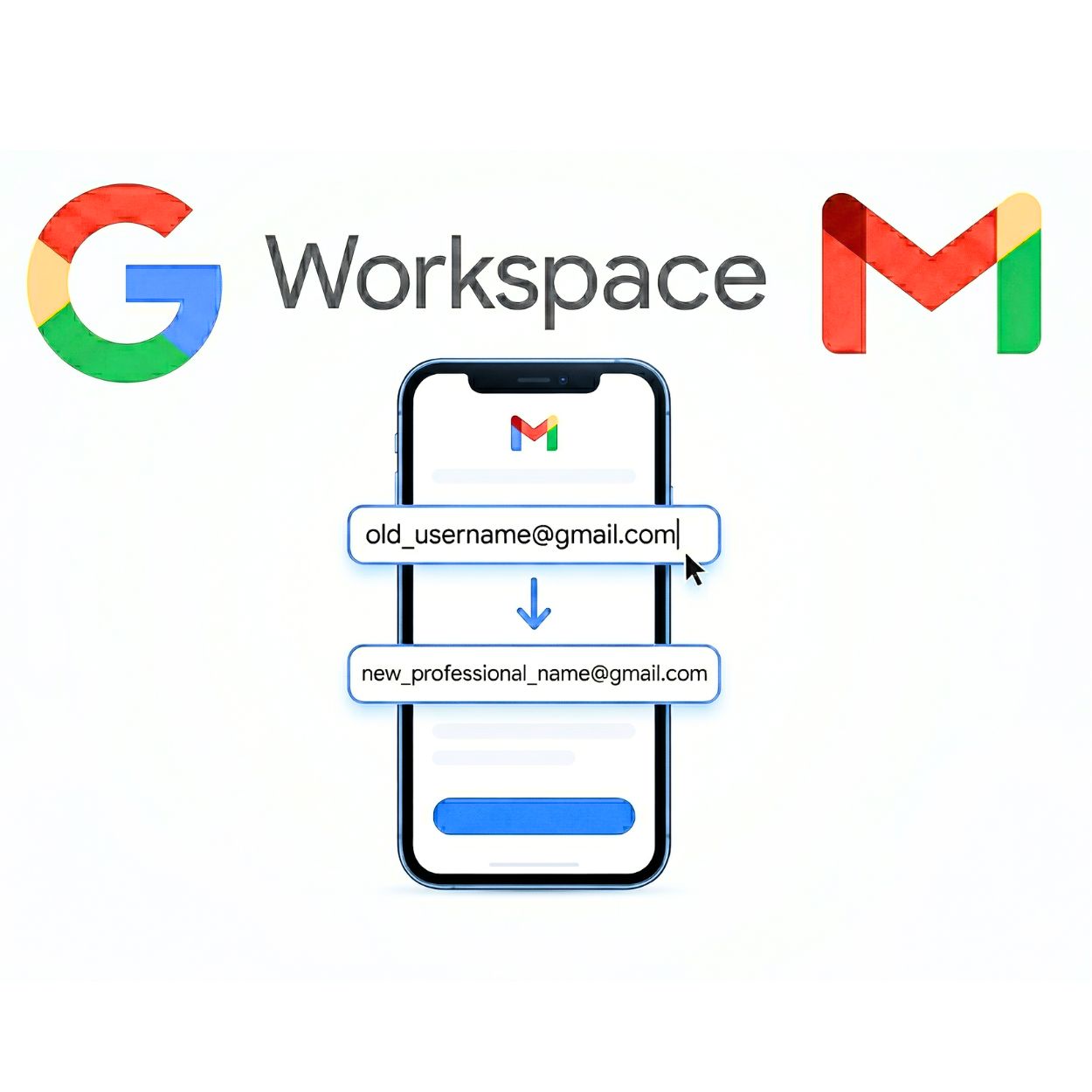
For years, Gmail usernames were effectively permanent, forcing users to live with old or embarrassing IDs or spin up fresh accounts. Google is now rolling out a feature that lets users pick a new @gmail.com address on the same account, with all emails, Drive files, photos, and YouTube access preserved.
When you change your Gmail address, the original ID becomes an alias that can still receive mail and be used to sign in, subject to Google limits. Early documentation and regional rollouts indicate you can change the address a limited number of times and only once every 12 months, and you cannot delete the new address for at least a year. The feature is rolling out gradually, so not all accounts will see the option at the same time.
For users, the practical impact is straightforward. You can modernise a legacy handle, for example from a college nickname to a professional name, without breaking your login across Google services.
How to Change Your Gmail Username Step by Step
First, open your Google Account email settings by going to myaccount.google.com/google-account-email in a browser. Sign in if Google asks you to.
Next, on the left sidebar, click Personal info. Under Personal info, find Email and click it. Select Google Account email. This is your main Gmail login address.
Look for Change Google Account email and click it. If you do not see this option, the feature is not yet enabled for your account and you will have to wait.
In the box, type the new address you want. This is only the part before @gmail.com. Google will reject it if the name is already in use or was used and deleted.
Click Change email or Yes, change email when prompted. Follow any extra verification steps, like confirming via phone or backup email.
After the change, sign out and sign back in using your new Gmail address on your devices. Quickly check Gmail, Drive, Photos, and YouTube to be sure everything works as normal. Your data and emails should stay intact.
Gmail New AI Inbox for AI Ultra Users
On the AI side, Google is also reshaping how Gmail itself works. The company has begun rolling out an AI Inbox in Gmail for Google AI Ultra subscribers, powered by Gemini 3. Instead of just a reverse chronological list of messages, AI Inbox presents a personalised briefing that groups emails into sections like Suggested to dos and Topics to catch up on, helping users see tasks, events, and key updates at a glance.
AI Inbox sits alongside the classic inbox view and can be turned off via settings, with Google emphasising that Workspace content is processed in a controlled environment and not used to train public models. It joins other Gemini powered Gmail features such as AI Overviews in search and Proofread for advanced tone and style suggestions.
Gemini 3 Flash Becomes the Default Model
Beyond Gmail, Google has promoted Gemini 3 Flash to the default model in the Gemini app, replacing Gemini 2.5 Flash. According to Google release notes, Gemini 3 Flash offers next generation intelligence at lightning speed, combining PhD level reasoning with a major leap in multimodal understanding across text, images, audio, and more.
In practice, that means most everyday Gemini users now interact with Gemini 3 Flash when they select the fast default mode in the app, with Gemini 3 Pro reserved as a more powerful option for advanced coding and complex math.
Temporary Chats: One Off Conversations That Do Not Persist
Google is also responding to privacy and trust concerns with a new Temporary Chat feature in the Gemini app. Temporary Chats let users start one off conversations that are not saved to chat history, not used to train models, and not applied to personalise future responses, giving a clearer off the record mode for sensitive or time boxed questions.
The option appears in the Gemini interface alongside regular chats, giving users an easy way to choose between persistent and ephemeral sessions.
Veo 3.1 Lite: Cheaper AI Video for High Volume Use
For builders and marketers, Google has introduced Veo 3.1 Lite Preview, described as its most cost efficient video generation model for rapid iteration and high volume workloads. Available via the Gemini API, Veo 3.1 Lite is optimised for speed and affordability rather than max fidelity, making it attractive for programmatic campaigns, social assets, and experimentation at scale.
Google positions Veo 3.1 Lite as a way to bring AI video into mainstream product, marketing, and creative stacks without enterprise level budgets.
New Mandatory Spend Caps on Gemini API
To keep those experiments financially predictable, Google is enforcing mandatory monthly spend caps on Gemini API billing accounts. As of the latest update, every usage tier has a hard upper limit, with Tier 1 capped at 250 dollars per month, applied at the billing account level.
The caps are designed to prevent runaway bills from unexpected traffic or misconfigured apps, while still allowing higher tiers for teams that need more headroom and are comfortable with larger commitments.
FAQ Section for Rank Math
Frequently Asked Questions
Q1: Can I change my Gmail username without creating a new account?
Yes. Google new feature allows you to change your @gmail.com address on the same account. All emails, Drive files, Photos, and YouTube data remain intact.
Q2: How many times can I change my Gmail username?
You can change your Gmail username up to three times in your lifetime, meaning four total addresses, with a mandatory 12 month cooldown between each change.
Q3: What happens to my old Gmail address after the change?
Your old Gmail address becomes a permanent alias that continues to receive emails and can still be used to sign in to your Google Account.
Q4: What is Google new AI Inbox in Gmail?
AI Inbox is a beta feature for Google AI Ultra users that uses Gemini AI to summarise emails, surface key updates, and highlight urgent tasks in Gmail.
Q5: What is Gemini 3 Flash?
Gemini 3 Flash is Google new default AI model in the Gemini app, offering faster performance with PhD level reasoning and improved multimodal understanding over the previous 2.5 Flash version.
Q6: What is Veo 3.1 Lite?
Veo 3.1 Lite is Google most cost efficient video generation model, now available in preview for developers via the Gemini API for rapid iteration and high volume applications.
Q7: What are the new Gemini API spend caps?
Google is enforcing mandatory monthly spend limits on the Gemini API at the billing account level. Tier 1 is capped at 250 dollars per month as of April 1, 2026.
Q8: Can I delete my new Gmail address right away?
No. You cannot delete the new Gmail address for at least 12 months after making the change, and you cannot immediately reuse the old address.